ItziNotes app icon

Beta Preview · Coming Soon to Google Play

ItziNotes

120Hz Pro Stylus Notes, Rich Text & Study Studio

Currently in private beta as we polish every stroke before our Google Play debut. Built natively in Kotlin & Jetpack Compose for Android phones and tablets—combining 21 distinct S Pen brushes, optional natural ink flow, automatic palm guard, live Pen overlay over typed text, 28 shapes & diagram templates, mind maps, lecture audio sync, and native .itzinote integration with ItziPDF 2.1.

Status: Private Beta · Coming Soon on Google Play · Android 7.0+ · Phones & Tablets · English & Arabic RTL · Free

  • 21 distinct brushes & optional ink flow
  • Auto S Pen / Hand palm guard
  • Live Pen overlay over Rich Text
  • Zero internet permission · AES-256 Vault

Designed for clarity and speed

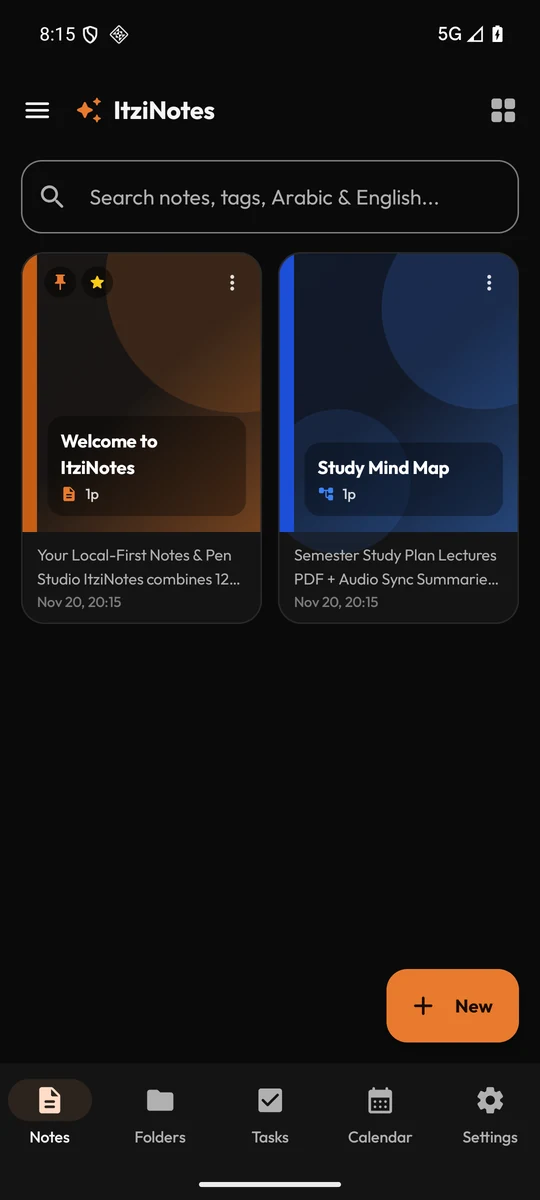
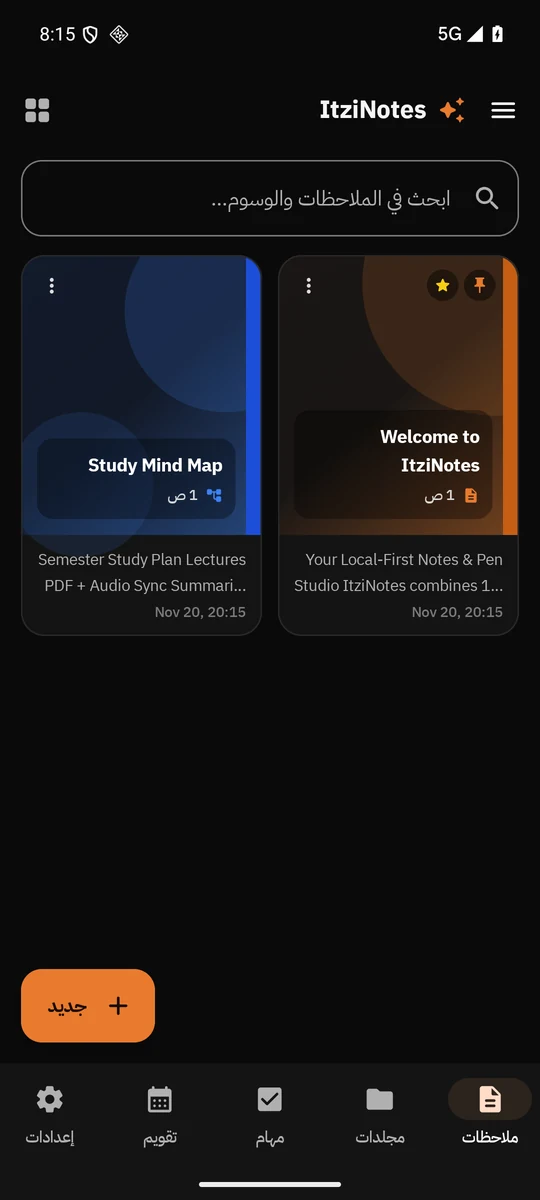
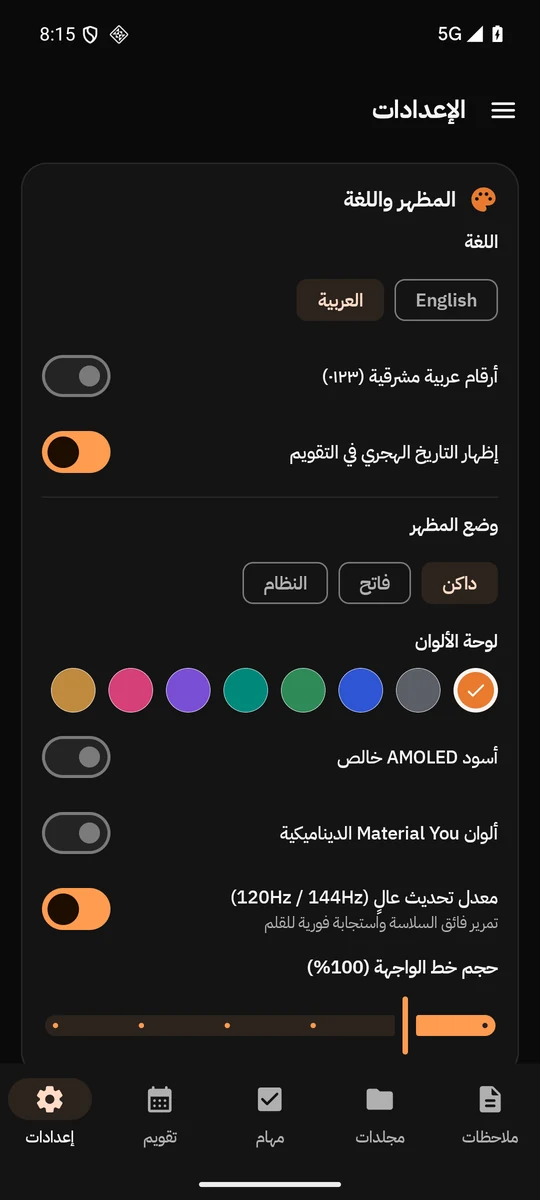
Explore the tactile notebook hub, Word-grade editor, 120Hz pen canvas, radial mind maps, and dual Gregorian + Hijri calendar in English or Arabic.

One workspace for writing, sketching & study

Combines the stylus responsiveness of Samsung Notes, the flexibility of OneNote, and seamless ItziPDF compatibility.

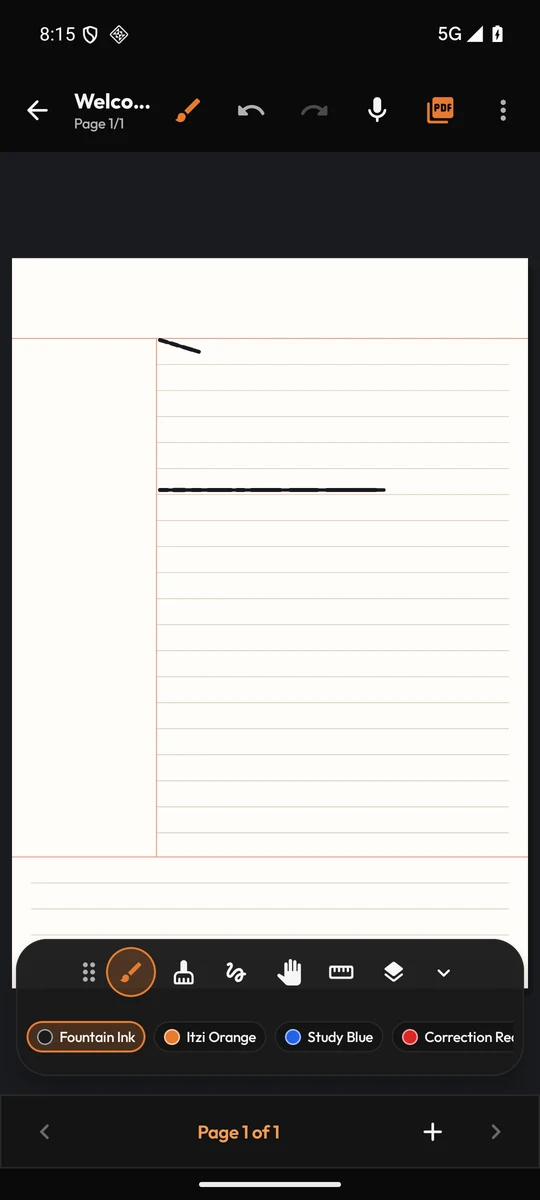
21 Pro Brushes, Flowability & Auto Palm Guard

Hardware-accelerated 120Hz ink with distinct physics per nib, optional natural ink flow, and automatic S Pen vs. finger recognition.

  • 21 distinct engines: Fountain Pen, Ballpoint, Gel Roller, 2B Graphite, Mechanical, Fineliner, Watercolor, Oil Impasto, Sumi-e, Charcoal, Airbrush, Neon, Metallic, Rainbow & Arabic Reed Qalam
  • Optional Natural Ink Flowability with intensity control, pressure curves, S Pen hover cursor & live brush stroke preview
  • Auto Pen/Hand Recognition cancels all palm & finger touches while stylus is active—lift your pen to pan, zoom, 2-finger undo, or drag/resize/rotate objects with the pen

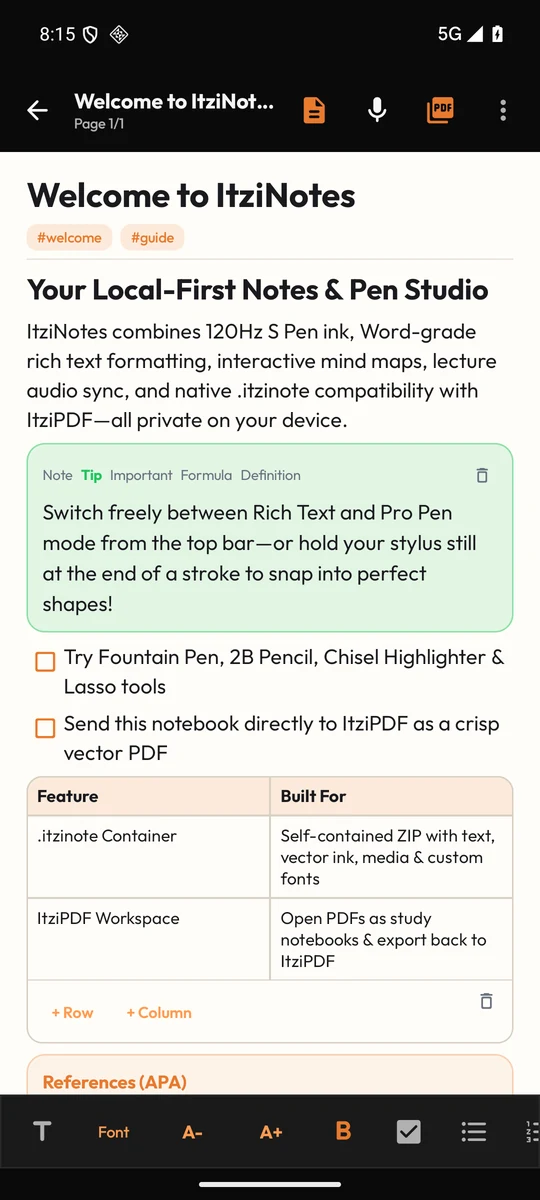
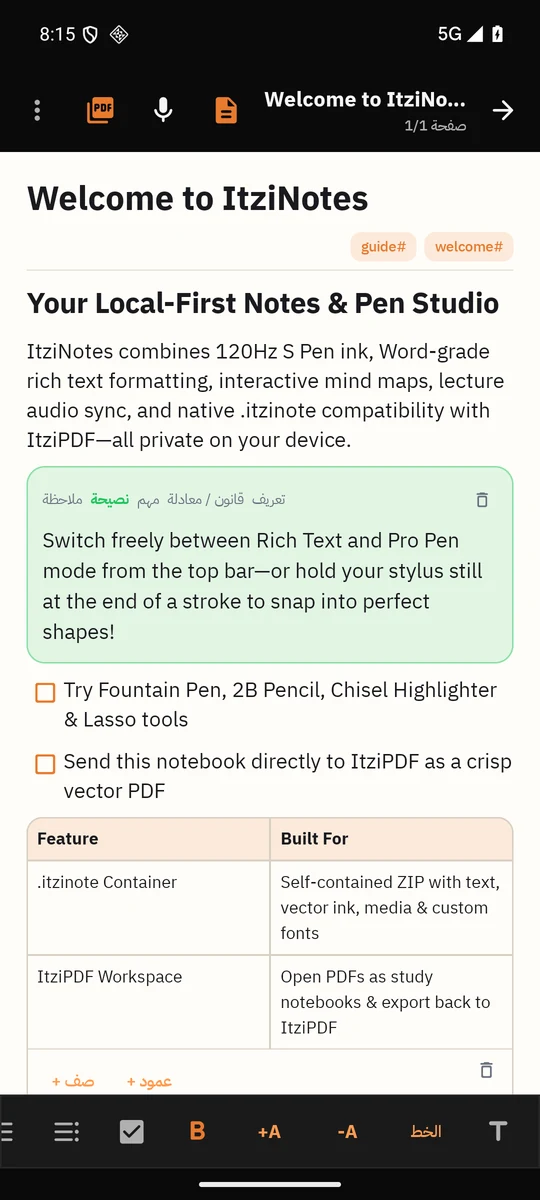
Word-Grade Rich Text + Live Pen Overlay

Type structured notes and annotate straight on top of your text with your S Pen—no mode switching required.

  • Headings H1–H6, tables, callouts, checklists, toggles, code, math & instant live Pen Drawing Overlay over typed text
  • Import your own .ttf / .otf fonts alongside 7 bundled English & Arabic typefaces
  • Built-in academic Citations & Bibliography manager (APA, MLA, Chicago, IEEE, Harvard)

28 Shapes, 8 Stickies, Papers & Custom Covers

Every tool is icon-driven and visually demonstrated, with full color customization and photo covers for both notes and folders.

  • 28 vector shapes + 1-tap Flowchart, Venn, Timeline & Pros/Cons diagrams; solid, translucent, gradient & hatch fills you can draw inside
  • 8 tactile sticky styles & flashcards, Study Tape reveal strips, full ItziColor Studio, plus Paged & Infinite canvas modes across 12 vector papers
  • Custom photo covers for both Notebooks and Folders, tidy 6-tile Settings hub & Lecture Audio Sync 2.0 linked live to ink strokes

Interactive Mind Maps & Outline Sync

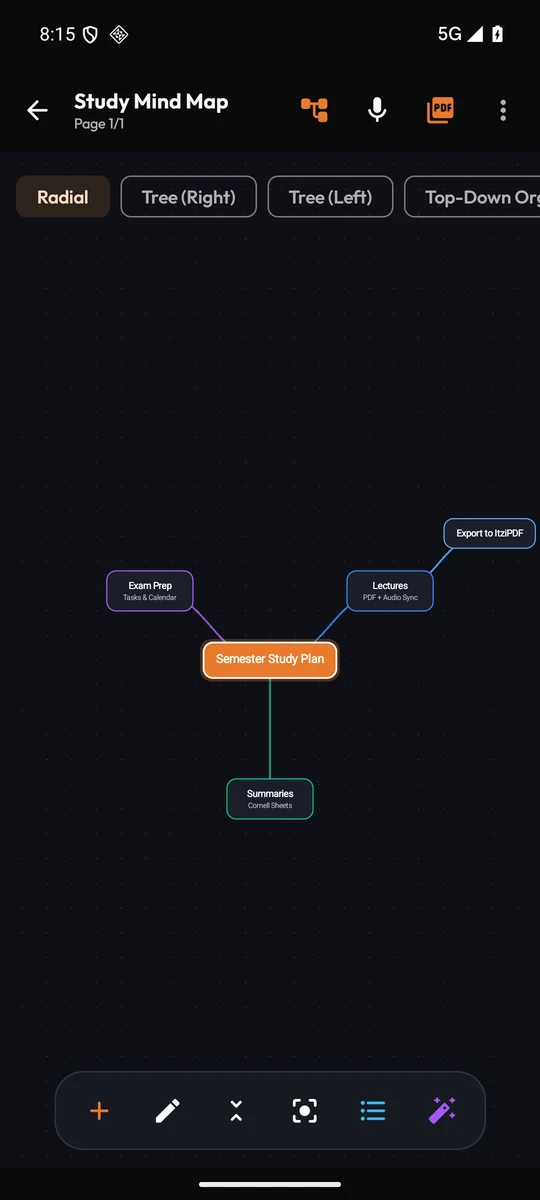
Brainstorm visually and convert seamlessly between structured text outlines and zoomable node graphs.

  • 5 auto-layouts: Radial, Tree Right, Tree Left, Top-Down Org Chart & Fishbone
  • Color-coded branches, subtitles, collapsible subtrees & crisp vector PDF export
  • One-tap Outline → Mind Map generation and Mind Map → Structured Outline export

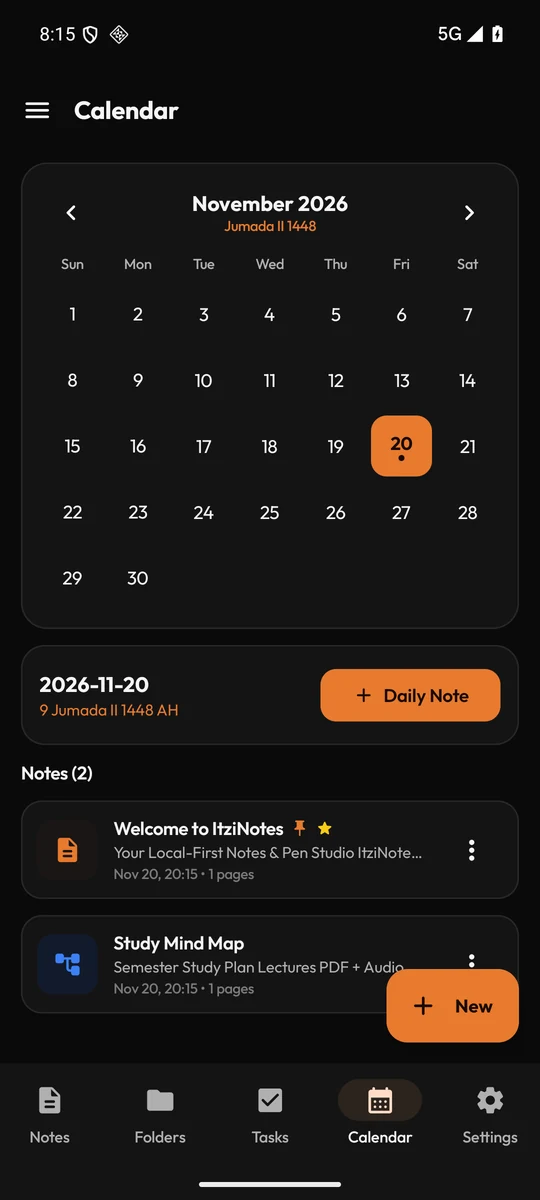
Central Hub, Tasks & Dual Calendar

Keep semesters, projects, and daily plans effortlessly organized on phones and tablets alike.

  • Nested custom folders, favorites, tags, 30-day Trash, FTS4 Arabic+Latin instant search & Smart Clipboard
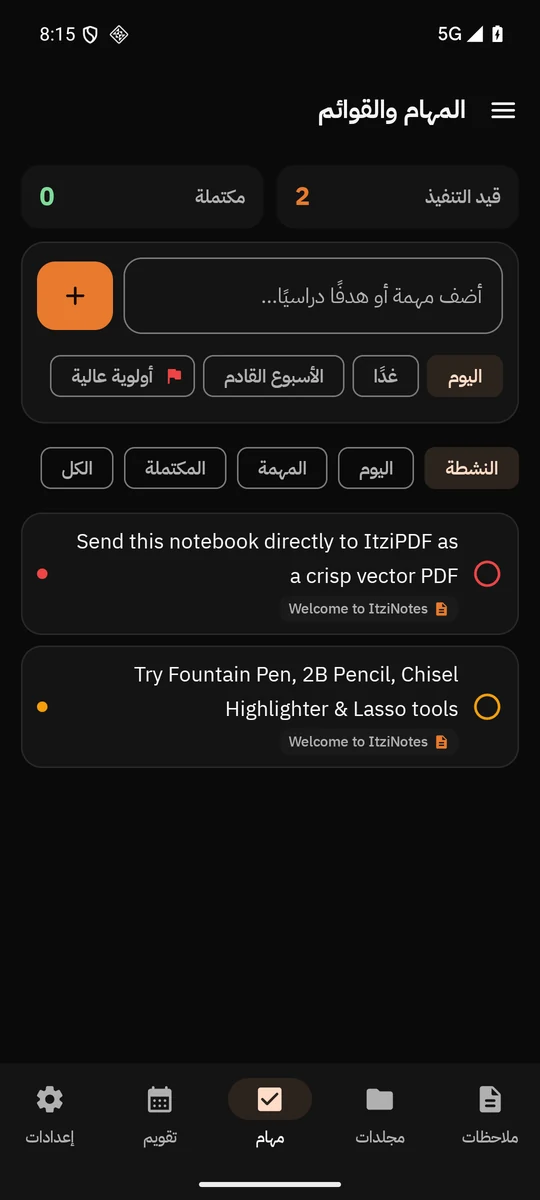
  • Every checklist item inside any note rolls up automatically into the global To-Do Tasks dashboard
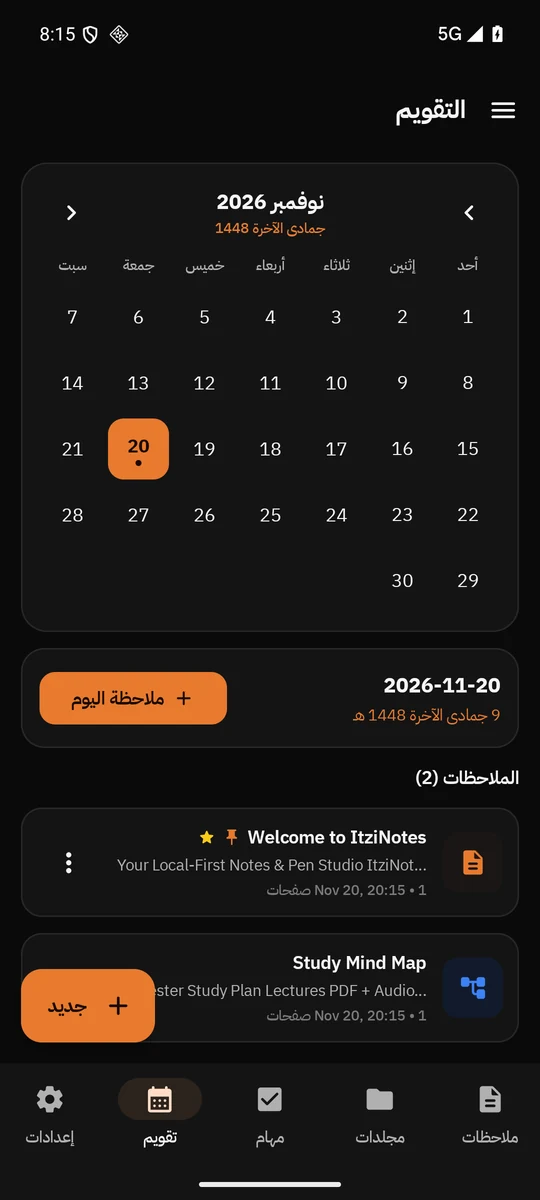
  • Dual Gregorian + Hijri Calendar with one-tap Daily Notes and local version history snapshots

AES-256-GCM Vault & Zero Cloud

True privacy engineered into the manifest—not promised in fine print.

  • Zero accounts, zero analytics, zero tracking—version 1.0 declares zero internet permission
  • Lock private notebooks with hardware-backed Android Keystore AES-256-GCM + Biometric/PIN unlock
  • Full portable .itzibackup workspace backup & restore plus Markdown, HTML, PDF, PNG & SVG export

Introducing .itzinote & ItziPDF Sync

Two flagship apps engineered to work together privately on your device—zero cloud hops.

  1. Study Any PDF from ItziPDF

    Tap Study in ItziNotes inside ItziPDF's Reader or Result Sheet. ItziNotes imports every slide into a multi-page study notebook where you can highlight, sketch, insert blank study sheets between slides, and record synced lecture audio.

  2. Open, Portable .itzinote Container

    Every notebook is a clean ZIP file bundling manifest.json, document.json, compact binary .inkbin vector strokes, deduplicated media & custom fonts, and a cached vector export.pdf—so your work is never locked in.

  3. Send Straight to ItziPDF Tools

    Tap the PDF icon in ItziNotes to export a crisp vector PDF—or send the native .itzinote file—straight into ItziPDF 2.1 to compress, merge, watermark, password-protect, or sign in one tap.

Built for phones, tablets & styluses

Private Beta · Coming Soon to Google Play

ItziNotes (Beta Preview)

Release Status
Private Beta · Google Play Coming Soon
Requires
Android 7.0+ (API 24–36)
File Format
.itzinote (Open ZIP + .inkbin v2)
Privacy
100% Offline · Free · AES-256 Vault

Common questions

When is ItziNotes launching on Google Play?

ItziNotes is currently in active Beta testing as we fine-tune our 21-brush stylus engine, Auto Palm Guard, Rich Text Pen overlay, and tablet ergonomics. It will launch publicly on Google Play soon—meanwhile, ItziPDF 2.1 is already live with native .itzinote support.

Does ItziNotes require an account or upload my notebooks to the cloud?

Never. ItziNotes runs 100% locally on your phone or tablet—it has no accounts, no analytics, and does not even declare the Android INTERNET permission. You control backups anytime via encrypted .itzibackup and open .itzinote exports.

How does ItziNotes work with Samsung S Pen and Android tablets?

ItziNotes automatically adapts to tablets with a persistent Navigation Rail and multi-column shelves, enables 120Hz/144Hz refresh rates, and features hardware Auto Pen/Hand Recognition—cancelling all palm and finger touches while your S Pen is active, then seamlessly switching your finger back to pan, zoom, and multi-finger undo/redo when lifted.

Can I open .itzinote files in ItziPDF?

Yes! ItziPDF 2.1 natively opens .itzinote files directly from Home, Settings, or any file manager—extracting the embedded vector PDF or synthesizing a clean bilingual PDF on-device so you can read, compress, merge, sign, or protect it immediately.